
A fantastic website is more than just beautiful design and great content—it’s about the experience and the trust you build with your visitors and, crucially, with search engines.
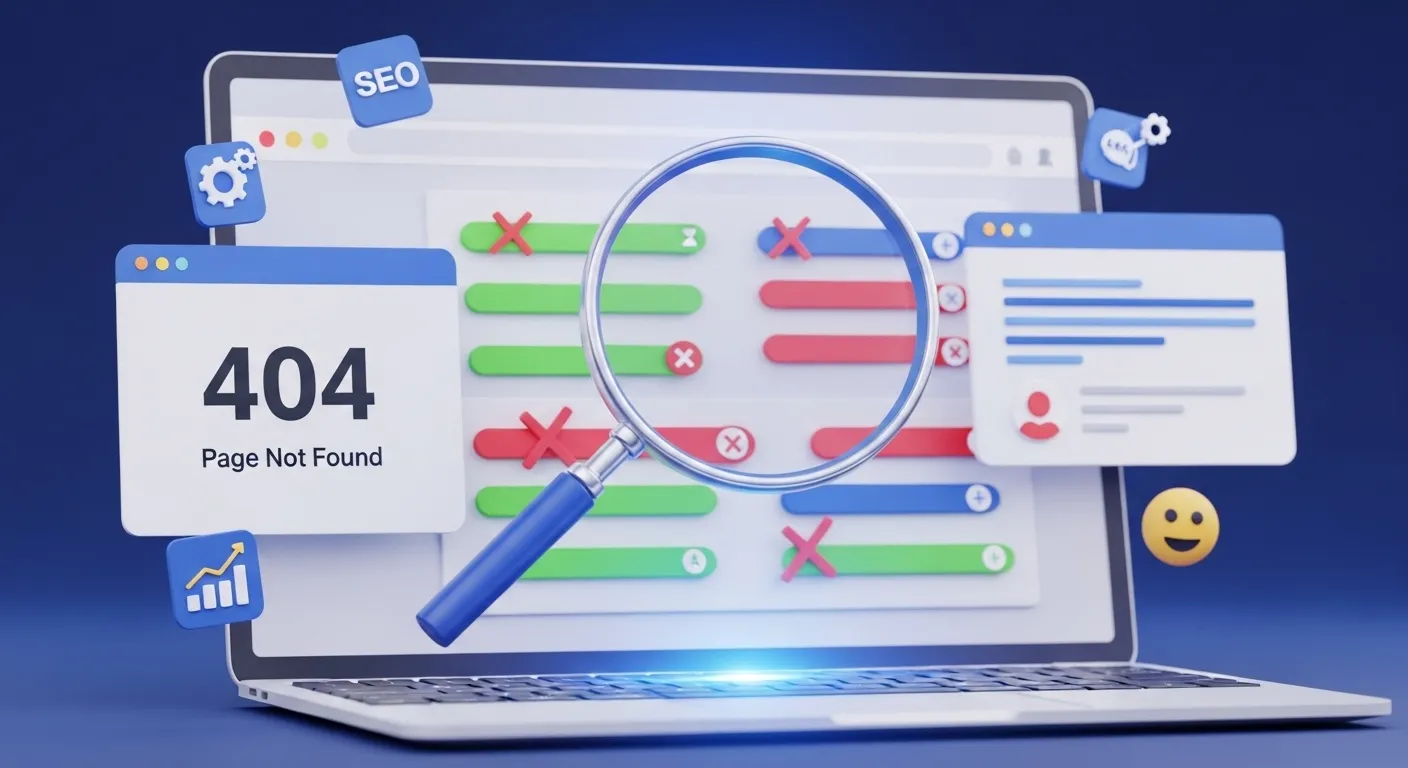
But let’s be real: as your site grows, links will inevitably break. Pages get moved, external sources disappear, and suddenly, those annoying 404 errors start popping up. These aren’t just minor hiccups; they’re a huge problem for your SEO and your user experience.
That’s where the Pixellize Broken Link Checker comes in. Think of it as your super-fast, completely free website mechanic. It’s designed to quickly scan your entire site or a single page to find those dead or redirected links in seconds, helping you keep your digital front door wide open and welcoming.
Why You Need to Check Your Links Regularly
Broken links are the silent killers of a healthy website. They don’t just frustrate a user who’s trying to find information—they send a negative signal to Google and other search engines. Search algorithms interpret dead links as a sign of a neglected, poorly maintained site, which can seriously hurt your ranking potential.
Here’s the simple truth: regular link auditing is non-negotiable for a healthy online presence:
- Boost Your SEO Performance: Search engine crawlers rely on healthy internal links to discover and index your pages effectively. Fewer broken links mean smoother crawling and better indexing. (P.S. If you’re serious about image SEO, don’t forget to check your Image Alt Tags too!)
- Build User Trust: Nobody likes clicking a link only to hit a dead end. Eliminating 404s keeps your visitors happy, engaged, and viewing you as a credible source.
- Simplify Maintenance: Instantly pinpointing outdated pages, typos in URLs, or missing resources makes maintenance a five-minute job, not a weekend-long headache.
- Look Professional & Credible: A well-linked website reflects attention to detail. This professional polish builds immediate trust with both your audience and search engine bots.
How Pixellize Makes Link Auditing Painless
We built the Broken Link Checker to be fast, accurate, and incredibly simple. No complicated dashboards or steep learning curves—just results.
- Paste Your URL: Drop in the main URL for your website or a specific page you want to analyze.
- Choose Your Scan: Decide whether you need a quick check on a single page or a deep dive into your entire website.
- Hit “Check”: The tool instantly gets to work, meticulously crawling links and reporting any that are broken, redirected, or cause a timeout.
- Review the Details: Get an immediate, clear breakdown of status codes (like 404 Not Found, 403 Forbidden, 500 Server Error) and the exact pages where they were found.
- Export & Fix: Download your results as a CSV or JSON file, making it easy to hand off to your developer or use as a checklist for your own fixes.
Key Features That Save You Time
- Full Site or Single Page Scan: Tackle a massive website audit or just check a newly published blog post.
- Comprehensive Error Detection (and More): We catch all the major pitfalls: 404s, 403s, 500s, and annoying timeouts. And since broken images hurt your site too, make sure you also run our free Broken Image Checker.
- Easy Reporting: Exportable reports mean you don’t have to manually copy-paste errors.
- Privacy First: It’s 100% browser-based—meaning no sign-up, no accounts, and absolutely no data stored or shared.
- Simple Interface: A clean, fast design built so anyone—from a first-time blogger to a veteran SEO manager—can use it instantly.
Who Is This Tool For?
If you care about your website’s health, this tool is for you:
- Website Owners: Keep your precious content linked correctly and error-free.
- SEO Professionals: Run quick, impactful link audits to improve crawlability and get an edge.
- Developers: Quickly spot dead URLs before or after a major deployment or content migration.
- Bloggers & Content Creators: Ensure every external resource and internal link in your article works perfectly, protecting your reputation.
Final Verdict
Broken links will hurt your SEO and erode visitor trust. But fixing them doesn’t need to be a major headache.
With Pixellize’s free and fast Broken Link Checker, you have the power to instantly locate and fix every single dead link on your site, right from your browser, without ever having to sign up. Take control of your site’s health today!
👉 Stop losing traffic to 404s. Try the tool now: https://pixellize.com/broken-link-checker
Frequently Asked Questions
What exactly is a broken link and why does it matter for my SEO?
A broken link is a hyperlink that points to a page or file that no longer exists (often resulting in a 404 error). Broken links matter because they hurt your SEO by creating a poor user experience and signaling to search engine crawlers that your site is poorly maintained, which can negatively impact your rankings and crawl budget.
Is the Pixellize Broken Link Checker really 100% free and private?
Yes, absolutely. The Pixellize Broken Link Checker is completely free to use, and there is no sign-up required. It is 100% browser-based, meaning we do not store, share, or collect any data about your website or the results of your scan.
Does the checker scan external links, internal links, or both?
Our tool scans both internal links (links connecting pages within your own website) and external links (links pointing to other domains). This comprehensive check ensures you catch every dead URL, whether it's a page you moved or a resource that disappeared online.

Pixellize
We're Pixellize Team, a group of digital creators and developers who are passionate about developing free online tools that can be easily utilized by everyone. We also share tips on working smarter and faster!
Related Post
Online PDF Reader – View and Read PDFs Instantly
In today’s fast-moving digital world, PDFs are everywhere — from office documents and study materials to invoices, resumes, and eBooks....
Pixellize
February 22, 2026
5 Min Read
How to Rotate PDF Pages Online (Step-by-Step Guide)
PDF files are great for sharing documents, but sometimes pages don’t appear the way they should. You might open a...
Pixellize
January 4, 2026
4 Min Read
How to Resize Signature Images to 20KB & 50KB
If you have ever tried to fill out a government job application, a visa form, or a college registration, you’ve...
Pixellize
December 31, 2025
4 Min Read