
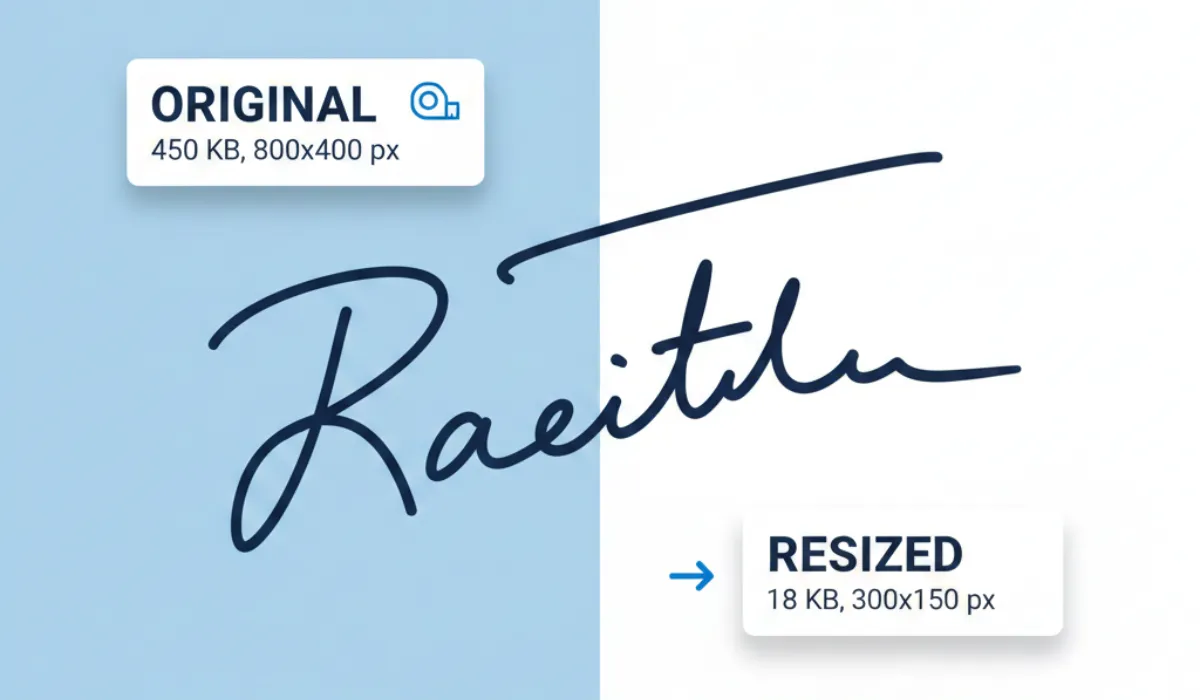
If you have ever tried to fill out a government job application, a visa form, or a college registration, you’ve likely run into a frustrating wall: the “File size too large” error.
Most official portals are extremely picky. They don’t just want a photo of your signature; they want it to be exactly 20 KB or 50 KB. If your file is even a fraction larger, the system rejects it.
In this guide, we’ll show you how to use a signature resizer in KB to get your documents ready in seconds without losing quality.
Don’t have a digital signature yet?
If you don’t have a scanned copy of your signature to resize, don’t worry! You can create a professional, clean digital signature from scratch using our Online Signature Generator.
Simply draw or type your name, customize the style, and download it. Once you have your new signature, you can come back here to resize it to the exact KB you need.
What is a Signature Resizer?
A Signature Resizer is a specialized digital tool designed to modify the dimensions (width and height) and the file size (storage space) of a signature image.
Unlike a standard photo editor, a dedicated signature resizer focuses on two things:
- Clarity: Keeping the ink lines sharp so the signature remains valid.
- Compression: Reducing the data size specifically to meet “under 20 KB” or “under 50 KB” requirements.
Whether you have a scanned copy or a quick photo taken from your smartphone, a resizer ensures your digital “autograph” looks professional and meets the technical specs of any portal.
Why Choose Pixellize Signature Resizer?
There are plenty of image editors out there, but Pixellize is built specifically for people who aren’t tech-savvy and need results fast. Here’s why it’s a favorite:
- Privacy is Built-in: Most tools upload your signature to a server. At Pixellize, the resizing happens right in your browser. Your sensitive signature never leaves your device.
- Targeted KB Settings: No more “guessing” the quality slider. You tell the tool you need a signature resizer in 20 KB, and it does the math for you.
- Unit Flexibility: Switch between Pixels (PX) and Centimeters (CM) seamlessly—perfect for forms that ask for a “3.5 x 1.5 cm” signature.
- No Watermarks: Your signature stays clean and professional, with no annoying logos added to it.
How to Use the Pixellize Signature Resizer (Step-by-Step)
Follow these simple steps to get your signature perfect for your next upload:
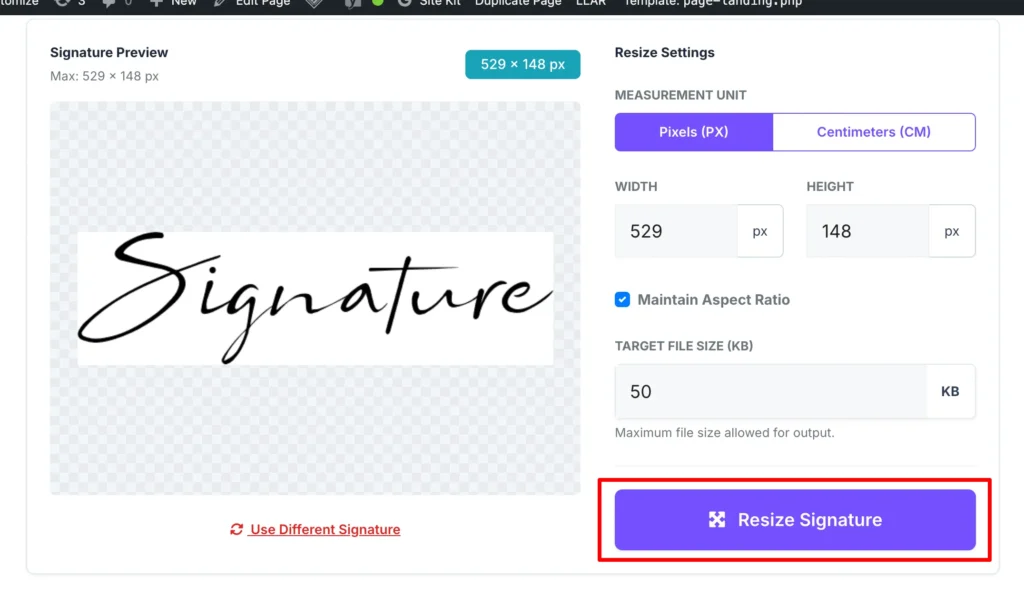
Step 1: Upload Your Image
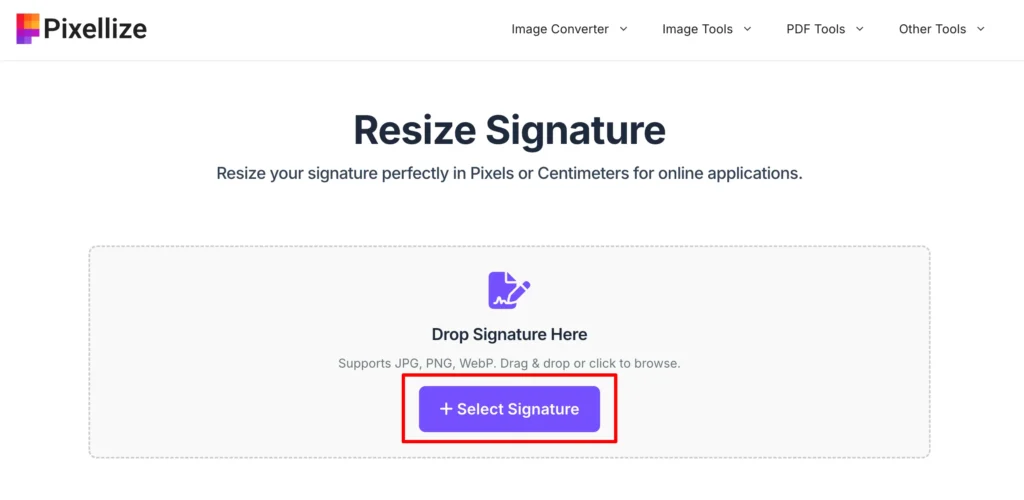
Click the “Select Signature” button or simply drag and drop your image file (JPG, PNG, or WebP) into the upload area.
Step 2: Set Your Dimensions
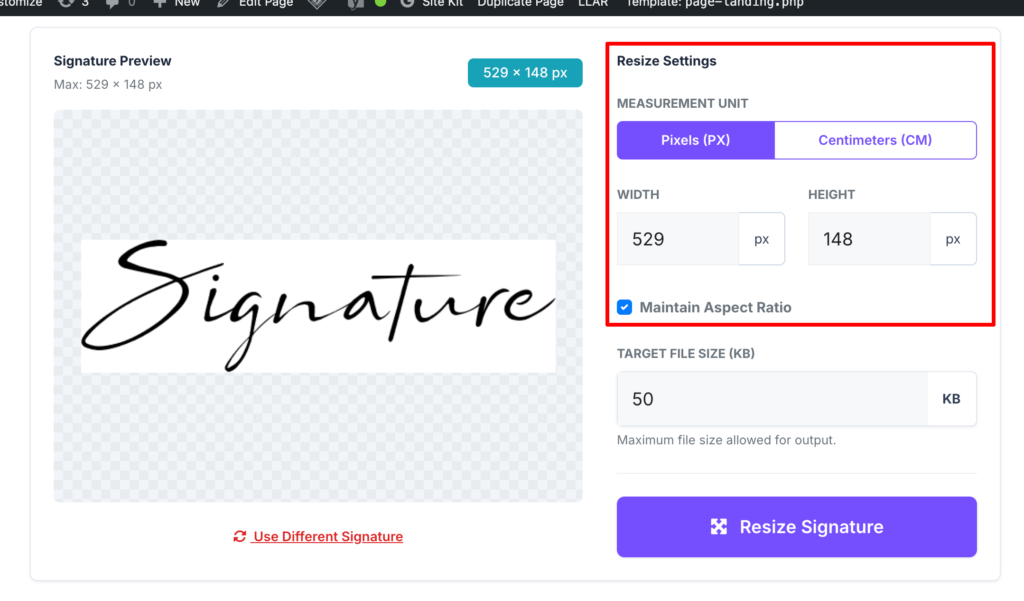
Check the requirements of the form you are filling out.
- Select Pixels or Centimeters.
- Enter the Width and Height.
- Tip: Keep the “Maintain Aspect Ratio” box checked to ensure your signature doesn’t look stretched.
Step 3: Enter the Target KB
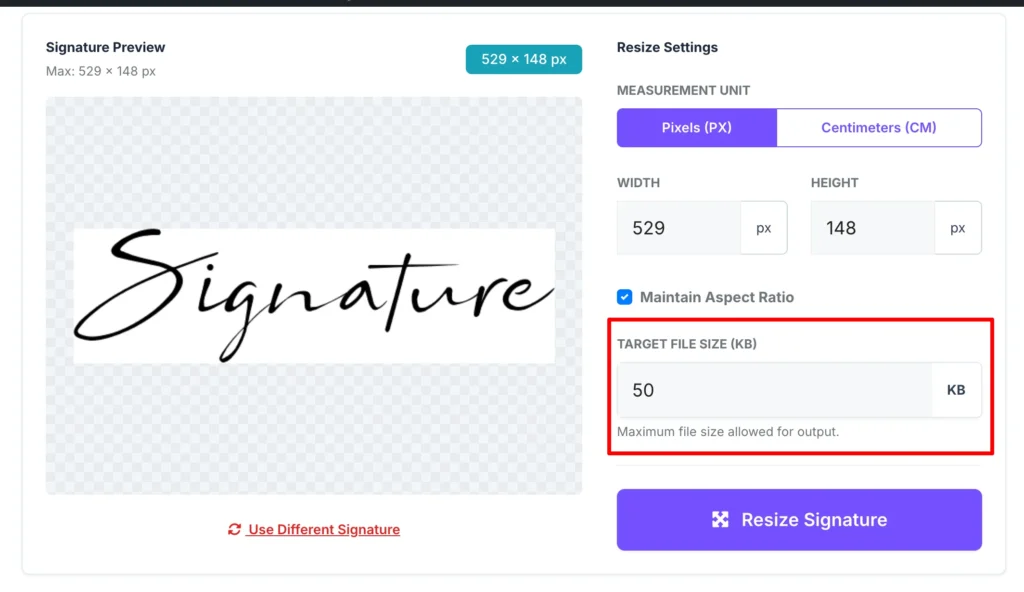
This is the most important part! Look for the “Target File Size (KB)” box. If the portal requires the file to be under 20 KB, simply type 20. Our tool will optimize the compression to hit that mark.
Step 4: Process and Preview
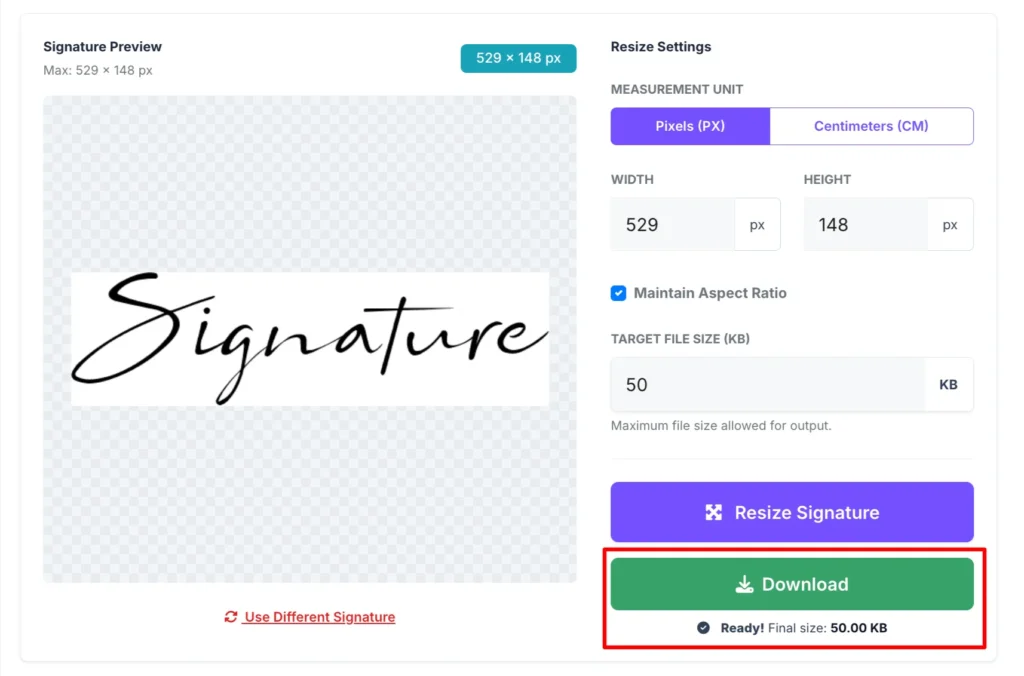
Click the “Resize Signature” button. A preview will appear showing you exactly how the signature looks and what the final file size will be.
Step 5: Download
Once you’re happy with the result, hit Download. Your signature is now ready to be uploaded to any official portal!
Conclusion
Technical requirements shouldn’t stand in the way of your application. Using a reliable signature resizer in KB saves you the headache of using complex software like Photoshop.
Whether you need to resize an existing photo or generate a new digital signature, Pixellize provides a fast, free, and secure way to handle your documents. Try it today and get your application submitted on the first attempt!

Pixellize
We're Pixellize Team, a group of digital creators and developers who are passionate about developing free online tools that can be easily utilized by everyone. We also share tips on working smarter and faster!
Related Post

Online PDF Reader – View and Read PDFs Instantly
In today’s fast-moving digital world, PDFs are everywhere — from office documents and study materials to invoices, resumes, and eBooks....
Pixellize
February 22, 2026
5 Min Read
How to Rotate PDF Pages Online (Step-by-Step Guide)
PDF files are great for sharing documents, but sometimes pages don’t appear the way they should. You might open a...
Pixellize
January 4, 2026
4 Min Read
Image to Text Converter: A Simple Way to Extract Text from Images
In today’s digital world, text is not always available in an editable format. Many times, important information is shared as...
Pixellize
December 15, 2025
3 Min Read