
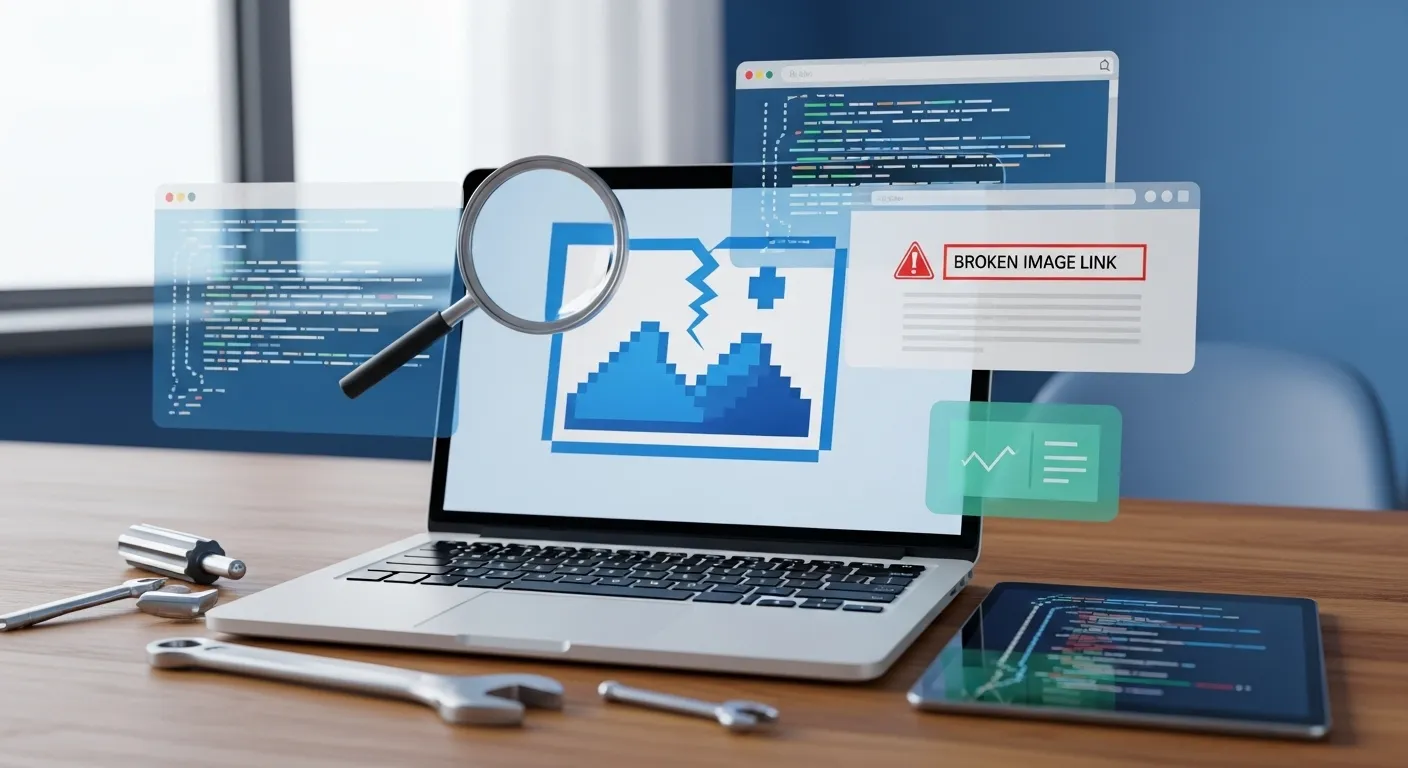
Has your website ever looked unprofessional because of broken images? Those annoying little boxes with an “X” can really hurt your site’s credibility. But checking every single image manually? That’s a nightmare, especially if you have hundreds of pages.
That’s where the Pixellize Broken Image Checker comes in. Available at pixellize.com/broken-image-checker, this free tool helps you maintain a professional-looking website without the hassle.
What Does This Tool Do?
Think of it as a health inspector for your website’s images. You just enter your website URL at Pixellize Broken Image Checker, click a button, and the tool does all the hard work. It crawls through your entire website, finds every single image, and checks if they’re loading properly or not.
Within minutes, you’ll get a complete report showing:
- Which images are broken
- Where these broken images appear on your site
- What the specific error is (404, timeout, etc.)
- How many pages are affected
No technical knowledge needed. No complicated setup. Just simple, straightforward results.
Why Should You Care About Broken Images?
Here’s the thing – broken images are more damaging than you might think.
They Make Your Site Look Unprofessional Nothing screams “neglected website” louder than broken images. Visitors might wonder: if you can’t maintain your images, can they trust your business?
They Hurt Your SEO Search engines like Google actually penalize sites with broken images. Each broken image is a signal that your site might not be well-maintained, which can push you down in search rankings. Want to make sure your images are properly indexed by search engines? Check out the Pixellize Image Sitemap Generator to create a comprehensive image sitemap that helps Google discover all your images.
They Frustrate Your Visitors People come to your site expecting a smooth experience. Broken images interrupt that flow and can make visitors leave faster than you’d like.
They Waste Your Resources Your server is still trying to load these broken images, which slows down your entire site. That’s wasted bandwidth and potentially slower page speeds for everyone.
How the Pixellize Tool Makes Life Easier
We designed this tool with one goal: make it stupidly simple to find and fix broken images. The Pixellize Broken Image Checker at pixellize.com/broken-image-checker offers several advantages:
It’s Fast Our checker scans your entire website in minutes, not hours. We use smart technology that checks multiple images at once, so you’re not sitting around waiting.
It’s Thorough We don’t just check your homepage. Our tool crawls every page on your site and examines every single image. Nothing gets missed. And if you want to ensure search engines can properly crawl your site too, use our Robots.txt Checker to verify your robots.txt file isn’t accidentally blocking important pages or images.
It Gives You Actionable Data The results aren’t just a list of broken links. You get a detailed report showing exactly which pages have problems, what the error codes mean, and you can even export everything to CSV or JSON format for your records.
It’s Free to Use Yep, completely free. No hidden charges, no premium features locked behind a paywall. Just a helpful tool that does what it promises.
Who Is This Tool For?
Website Owners Whether you run a small blog or a large business site, broken images can happen to anyone. Regular checks keep your site looking professional.
Web Developers After migrating a site or making major updates, you need to verify everything still works. Our tool gives you that peace of mind in minutes.
SEO Specialists Part of good SEO is maintaining a healthy website. Catching and fixing broken images is an easy win for better rankings.
Content Managers Managing a site with lots of images? This tool helps you stay on top of things without manually checking thousands of files.
Common Reasons Images Break
Understanding why images break can help you prevent it in the future. The Pixellize Broken Image Checker identifies all these issues:
- Deleted Files: Someone removed the image from the server but forgot to remove it from the page
- Moved Files: The image was relocated to a different folder but the links weren’t updated
- Typos: Simple spelling mistakes in the image filename or path
- External Links: Images hosted on other sites that are no longer available
- Server Issues: Temporary hosting problems or permission errors
- Migration Problems: Moving to a new host can break image paths if not done carefully
- Robots.txt Blocking: Sometimes your robots.txt file might accidentally block image resources. Use our Robots.txt Checker to make sure this isn’t happening
How to Use the Pixellize Broken Image Checker
It’s seriously simple:
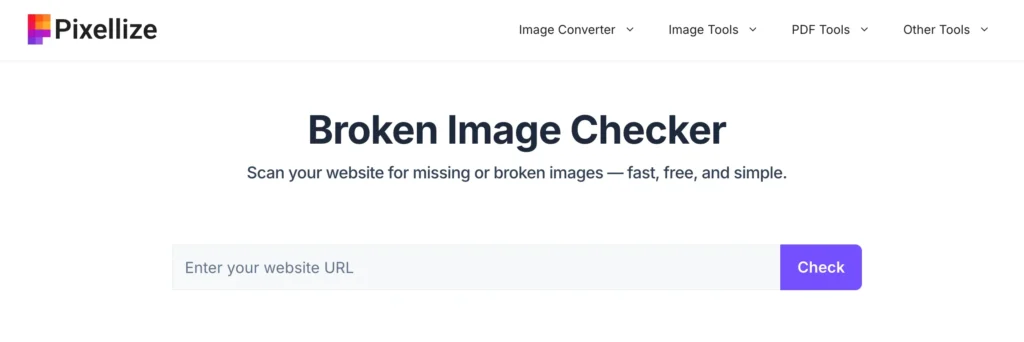
- Visit Pixellize – Go to pixellize.com/broken-image-checker
- Enter Your Website URL – Just type in your site’s address in the search box
- Click Check – Hit that button and let the tool do its magic
- Wait for Results – Watch as we scan your pages and images (usually takes just a few minutes)
- Review the Report – See exactly which images are broken and where they appear
- Fix the Issues – Use the detailed information to go fix those broken images
- Export if Needed – Download the results as CSV or JSON for your records
That’s it. No registration required, no complicated forms to fill out.
Tips for Maintaining Healthy Images
Once you’ve fixed your broken images using the Pixellize Broken Image Checker, here’s how to keep them healthy:
Check Regularly Don’t wait for visitors to tell you about broken images. Run the Pixellize checker every month or two, especially after making site updates.
Use Proper File Names Avoid spaces and special characters in image filenames. Stick to lowercase letters, numbers, and hyphens.
Keep Backups Always maintain backups of your image library. Accidents happen, and you don’t want to lose everything.
Host Your Own Images While it’s tempting to link to images on other sites, you have no control over them. Host images on your own server when possible.
Optimize Before Uploading Large image files slow down your site. Compress and optimize images before uploading them.
Create an Image Sitemap Help search engines find and index all your images by creating an image sitemap. Use the Pixellize Image Sitemap Generator to create one automatically.
Verify Robots.txt Settings Make sure your robots.txt file isn’t blocking important images or pages. Use the Pixellize Robots.txt Checker to test your configuration.
What Makes the Pixellize Tool Different?
There are other broken link checkers out there, but here’s why the Pixellize Broken Image Checker stands out:
Speed Without Compromise We check images quickly but thoroughly. Some tools are fast but miss things. Others are thorough but painfully slow. Pixellize has found the perfect balance.
User-Friendly Interface No confusing dashboards or technical jargon. Everything is presented in plain English that anyone can understand.
Detailed Error Information We don’t just say “it’s broken.” We tell you WHY it’s broken, so you can actually fix the problem.
No Account Needed Jump right in and start checking. No need to create an account or remember another password.
Part of a Complete Toolkit Pixellize offers other helpful tools too. After fixing your broken images, optimize your SEO further with our Image Sitemap Generator and Robots.txt Checker.
Start Checking Your Images Now
Your website deserves to look its best. Broken images are easy to fix once you know where they are.
Take 5 minutes right now to scan your website with the Pixellize Broken Image Checker. You might be surprised at what you find. And remember, finding problems now means your visitors won’t find them later.
Visit pixellize.com/broken-image-checker and enter your website URL to get started. Let’s make sure all your images are loading perfectly. Your website (and your visitors) will thank you.
Complete Your Website Optimization
Don’t stop at broken images! Pixellize offers other free tools to help you maintain a healthy, SEO-friendly website:
- Image Sitemap Generator – Create XML sitemaps specifically for your images to help search engines discover and index them properly
- Robots.txt Checker – Verify your robots.txt file is configured correctly and not accidentally blocking important content from search engines
Together, these tools give you everything you need to keep your website running smoothly and ranking well in search results.
Frequently Asked Questions
How does the Pixellize Broken Image Checker work?
Our tool is pretty straightforward. You enter your website URL, and our checker starts crawling through every page on your site, just like a search engine would. It finds all the images on each page and tests them one by one to see if they load properly. The whole process usually takes just a few minutes, depending on how big your website is. Once it's done, you get a detailed report showing which images are broken, what error codes they're returning, and exactly which pages they appear on. No technical knowledge needed - just enter your URL and click check!
Is the Broken Image Checker really free to use?
Yes, absolutely! The Pixellize Broken Image Checker is completely free with no hidden charges or premium features locked away. You don't need to create an account, enter credit card details, or sign up for anything. Just visit the page, enter your website URL, and start checking. We believe in providing helpful tools that everyone can access, whether you're running a small personal blog or managing a large business website.
How long does it take to scan my entire website?
It depends on the size of your website, but most scans complete within 5-10 minutes. A small website with 20-30 pages might finish in just 2-3 minutes, while larger sites with hundreds of pages could take 10-15 minutes. Our tool is optimized for speed - it checks multiple images at once instead of one at a time, which makes the process much faster. You can watch the progress in real-time as it shows you how many pages have been scanned and how many images have been checked.
Can I export the results for my records or team?
Yes! Once the scan is complete, you can export your results in two formats: CSV (Excel-friendly) or JSON (for developers). The exported file includes all the important details - the broken image URLs, status codes, alt text, which pages the images appear on, and error descriptions. This makes it easy to share the findings with your team, keep records of your website maintenance, or import the data into other tools you might be using. Just click the "Export to CSV" or "Export to JSON" button after your scan finishes.

Pixellize
We're Pixellize Team, a group of digital creators and developers who are passionate about developing free online tools that can be easily utilized by everyone. We also share tips on working smarter and faster!
Related Post

Online PDF Reader – View and Read PDFs Instantly
In today’s fast-moving digital world, PDFs are everywhere — from office documents and study materials to invoices, resumes, and eBooks....
Pixellize
February 22, 2026
5 Min Read
How to Rotate PDF Pages Online (Step-by-Step Guide)
PDF files are great for sharing documents, but sometimes pages don’t appear the way they should. You might open a...
Pixellize
January 4, 2026
4 Min Read
How to Resize Signature Images to 20KB & 50KB
If you have ever tried to fill out a government job application, a visa form, or a college registration, you’ve...
Pixellize
December 31, 2025
4 Min Read